
This section provides information on the general use of the CDE online catalog. Before you begin, please review "Your Credentials" for more information on Division of Oral Health, American Dental Association (ADA), and Dental Assisting National Board (DANB) recommendations and requirements for Continuing Dental Education.
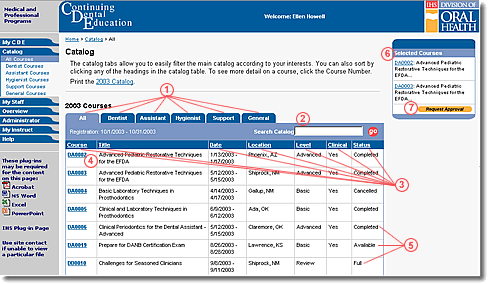
The general functions associated with the catalog are:
Tabs for easy filtering of catalog by course category
Keyword search in Course #, Title, Summary, or Objectives
Sort list by Course #, Title, Date, Level, Clinical, Location, or Status
One-click access to course details
Know immediately the availability (status) of any course
Review the courses you have selected at-a-glance
One-click access to request registration approval
Catalog Use
The "Catalog" page lists the courses published in the current CDE catalog. Each row of the table lists one course with Course Number, Title, Dates, Level, Location, and Status. Each of these columns can be sorted by clicking the column heading.
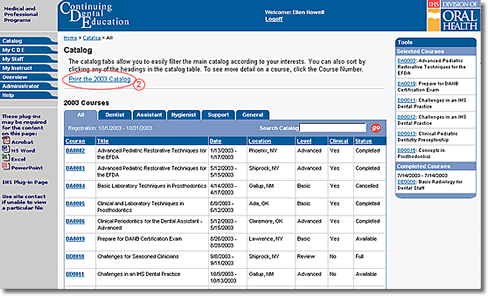
You can select a specific catalog year, or print the catalog from this page. Additionally, tabs filter the courses into All courses (the default), Dental Assistant courses, Dental Hygienist courses, Dentist courses, Support Staff courses, and General courses (for courses that don't have specific audiences associated with them or that have multiple audiences associated with them).
You can select a specific catalog year, or print the catalog from this page. Additionally, tabs filter the courses into:
All courses (the default)
Dentist (DD) courses
Dental Assistant (DA) courses
Dental Hygienist (DH) courses
Support Staff (DS) courses
General (DE) courses (for courses that have multiple audiences associated with them)
Suggesting a Course
You can suggest a course for inclusion in the catalog, and we encourage you to do so if you think of something we have missed. To make a suggestion for a new course, follow these steps:
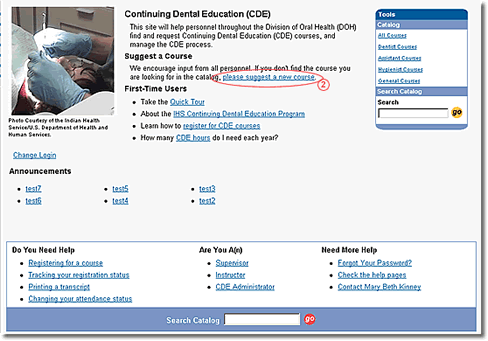
If you are not on the CDE Home page, click the CDE logo in the blue banner near the top of any page in the CDE system
Under the “Suggest a Course” heading, click the “please suggest a new course” link to go to the “Suggest a Course” form
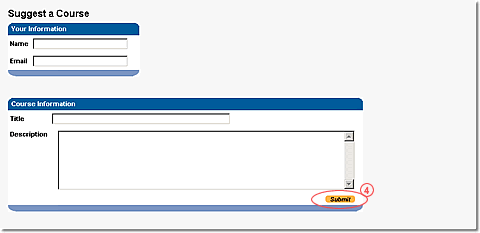
Enter the information requested on the form
Click the “Submit” button to send the suggestion to the CDE Administrator
The Catalog page gives you many ways to find the courses you're looking for. The search function on the Catalog page allows you to search the catalog for:
Course Number
Keywords in the Title, Summary, and Objectives
To perform a search, follow these steps:
Use the text box beside the words “Search Catalog” to enter the Course Number or the keyword that you're looking for
Click the “go” button
The Catalog page now lists all courses that match your search criteria. You can now view course details by clicking the Course Number, and select courses for addition to your “Selected Courses” list.